Poin-poin penting
- Metadata, termasuk detail sistem dan metode pengambilan, sama pentingnya dengan konten visual itu sendiri.
- Tangkapan layar yang efektif harus menangkap seluruh tampilan browser atau aplikasi, termasuk URL dan jam sistem.
- Rekaman video memberikan bukti dinamis untuk masalah langsung tetapi memerlukan pengelolaan ukuran file dan konteks yang cermat.
- Hash kriptografi (MD5, SHA-256) dapat secara independen membuktikan integritas tangkapan layar terhadap perubahan.
- Badan regulasi mengharapkan bukti yang jelas, lengkap, dan dapat diverifikasi yang meminimalkan upaya investigasi mereka.
- Dokumentasi aktivitas platform yang proaktif dan rutin membangun catatan historis yang kuat untuk sengketa di masa depan.
Garis Tak Terlihat: Ketika Tangkapan Layar Gagal Meyakinkan
Bayangkan Anda mengajukan pengaduan kepada regulator keuangan, yakin bahwa Anda memiliki bukti tak terbantahkan mengenai kesalahan platform yang kritis atau transaksi yang anomali. Anda dengan cermat melampirkan apa yang Anda yakini sebagai tangkapan layar yang memberatkan, menunjukkan eksekusi perdagangan yang mencurigakan atau saldo akun yang salah. Beberapa minggu kemudian, balasan tiba, singkat dan tidak membantu: "Bukti tidak memadai untuk melanjutkan." Hasil ini sangat umum terjadi, bukan karena peristiwa yang Anda jelaskan tidak terjadi, tetapi karena bukti yang diberikan tidak memiliki konteks dan integritas yang dapat diverifikasi yang dibutuhkan regulator. Sebuah gambar sederhana, ketika dilepaskan dari metadata penting, dapat diabaikan karena mudah diubah, diambil di luar konteks, atau sekadar tidak dapat dibuktikan. Panduan ini ada untuk memastikan catatan visual Anda tahan terhadap pengawasan ketat tinjauan regulasi. Masalahnya melampaui sekadar memiliki gambar; ini tentang memiliki gambar yang menceritakan kisah yang lengkap dan tak terbantahkan. Regulator, baik itu FCA, CySEC, atau CFTC, memproses ratusan pengaduan setiap hari. Staf investigasi mereka tidak dapat menerima gambar begitu saja tanpa bukti yang jelas dan menyertainya mengenai asal-usulnya, waktu yang tepat, dan integritasnya. Tanpa elemen-elemen fundamental ini, pengaduan Anda, betapapun sah premis dasarnya, mungkin akan gagal pada rintangan pertama yang krusial. Perbedaan antara bukti yang meyakinkan yang mengarah pada tindakan dan lampiran yang ditolak yang menghambat kasus Anda sering kali bermuara pada detail kecil dan tepat dalam proses pengambilan bukti. Perusahaan keuangan yang diregulasi, dari entitas besar dan mapan seperti OANDA dan Pepperstone hingga operasi khusus, berfungsi di bawah aturan kepatuhan yang ketat dan memelihara catatan internal yang ekstensif. Ketika sengketa muncul, mereka sangat siap untuk membela tindakan dan log data mereka. Agar pengaduan Anda memiliki bobot, bukti Anda harus memenuhi atau bahkan melampaui standar dokumentasi internal mereka. Ini menyiratkan pemahaman yang lebih dalam: bukan hanya bagaimana mengambil gambar layar Anda, tetapi bagaimana membangun artefak digital yang dapat diverifikasi yang secara fundamental menahan tantangan mengenai keaslian, kelengkapan, dan relevansi kontekstualnya. Mengabaikan langkah-langkah ini sama dengan menyajikan catatan tulisan tangan ketika pihak lain memiliki kontrak yang diaktakan.
Elemen Inti: Apa yang Dibutuhkan Setiap Tangkapan Layar
Pada intinya, tangkapan layar bukti yang efektif harus secara meyakinkan mengkonfirmasi tiga fakta fundamental: konten apa yang Anda amati, lokasi digital persis dari mana Anda mengamatinya, dan momen waktu spesifik ketika pengamatan ini terjadi. "Apa yang Anda lihat" secara langsung mengacu pada konten utama platform trading itu sendiri—baik itu tiket perdagangan, tampilan grafik dinamis, buku pesanan, atau laporan akun. "Di mana Anda melihatnya" mewajibkan penyertaan alamat web spesifik (URL) di bilah alamat browser atau, untuk aplikasi desktop, indikasi yang jelas mengenai judul dan versi aplikasi. "Kapan Anda melihatnya" memerlukan tanggal dan waktu yang tepat, biasanya diambil dari jam sistem yang terlihat pada sistem operasi Anda. Setiap tangkapan layar yang ditujukan untuk pengajuan resmi sebagai bukti harus secara terlihat menyertakan bilah alamat lengkap browser web, menampilkan URL yang lengkap, dan jam sistem yang ditampilkan secara menonjol di bilah tugas atau area notifikasi sistem operasi Anda. Mengambil seluruh jendela browser, mencakup semua elemen antarmuka pengguna dan bukan hanya konten utama, bukan sekadar rekomendasi; ini adalah persyaratan kritis. Gambar yang dipotong secara inheren menghilangkan informasi kontekstual vital yang bisa terbukti menentukan. Misalnya, jika Anda menuduh adanya malfungsi platform, menunjukkan struktur tab browser, ekstensi browser yang aktif, dan bilah gulir menunjukkan bahwa Anda berinteraksi dengan lingkungan web yang hidup dan lengkap, bukan gambar yang dimanipulasi atau sebagian. Praktik pengambilan konteks penuh ini secara proaktif menangkal tuduhan potensial bahwa gambar parsial adalah representasi selektif dari kebenaran, atau bahwa gambar itu sendiri berasal dari sumber tidak resmi yang berpotensi menyesatkan. Kesalahan yang paling sering dilakukan trader adalah memotong gambar, berfokus secara eksklusif pada apa yang mereka anggap sebagai area "masalah". Meskipun tindakan intuitif ini bertujuan untuk kejelasan, secara paradoks ini melemahkan nilai bukti keseluruhan. Pengambilan layar penuh, bahkan jika itu mencakup ikon desktop yang tampaknya tidak relevan, aplikasi latar belakang, atau elemen lain dari ruang kerja digital Anda, menyediakan gambaran yang benar-benar lengkap dari seluruh lingkungan digital Anda pada momen spesifik itu. Pendekatan menyeluruh ini secara drastis mengurangi ruang lingkup keraguan atau argumen balasan dari entitas yang Anda adukan, baik itu broker yang diregulasi seperti XM atau AvaTrade, karena ini menunjukkan tampilan interaksi Anda yang tidak dimodifikasi.
Di Luar Gambar: Metadata Penting untuk Dicatat
File gambar itu sendiri berisi lapisan dasar metadata, tetapi ini jarang cukup untuk pengawasan regulasi. Ketika dengan cermat menyiapkan tangkapan layar untuk pengaduan formal, Anda juga harus dengan teliti mencatat detail kontekstual eksternal di samping gambar. Informasi penting ini mencakup rincian tentang sistem operasi Anda (misalnya, Windows 10 Pro, versi 22H2; macOS Ventura 13.4.1), nama browser web yang tepat dan nomor versinya yang akurat (misalnya, Google Chrome 117.0.5938.132 64-bit), dan detail ekstensi browser yang relevan yang aktif pada saat pengambilan. Kumpulan data yang terkumpul ini menetapkan lingkungan digital yang tepat di mana tangkapan layar diambil, membuatnya jauh lebih sulit bagi perusahaan untuk berargumen bahwa bug browser tertentu, sistem yang usang, atau ekstensi pihak ketiga menyebabkan anomali tersebut. Di luar spesifikasi sistem ini, sama pentingnya untuk mendokumentasikan metode pengambilan itu sendiri. Apakah tangkapan layar diambil menggunakan tombol 'Print Screen' bawaan, ekstensi browser khusus, atau aplikasi pihak ketiga yang didedikasikan? Detail yang tampaknya kecil ini berkontribusi secara signifikan pada rantai bukti untuk bukti Anda. Catat tanggal dan waktu yang tepat yang terlihat pada jam sistem Anda, di samping zona waktu spesifik (misalnya, GMT+1, EDT). Poin data krusial ini tidak secara inheren tertanam dalam gambar dengan cara yang mudah diverifikasi oleh pihak ketiga tanpa catatan pendamping Anda yang cermat. Anggap proses ini sebagai padanan digital dari seorang fotografer investigasi yang mencatat semua kondisi lingkungan dan pengaturan kamera untuk sepotong bukti krusial. Pencatatan data pendukung yang cermat ini seringkali merupakan aspek yang paling terabaikan dalam panduan umum tentang pengambilan tangkapan layar. Ini menuntut tingkat disiplin dan organisasi. Dokumen teks sederhana atau spreadsheet dasar, yang dipelihara bersama file tangkapan layar Anda, berfungsi secara efektif untuk tujuan ini. Untuk setiap tangkapan layar, daftarkan dengan cermat nama filenya, tanggal dan waktu pengambilan yang tepat, URL yang terlihat atau judul aplikasi, sistem operasi dan versinya, browser dan versinya, serta metode pasti yang digunakan untuk mengambil tangkapan layar. Informasi tambahan ini mengubah apa yang tadinya hanya gambar sederhana menjadi bukti digital yang kuat dan dapat dipertahankan yang tahan terhadap pemeriksaan profesional.
Perangkat Kerja: Perangkat Lunak untuk Pengambilan yang Andal
Mengandalkan semata-mata pada tombol 'Print Screen' dasar dan editor gambar rudimenter dapat terbukti tidak efisien dan secara signifikan meningkatkan risiko menghilangkan detail bukti vital. Untungnya, sistem operasi dan browser web kontemporer menawarkan alat yang lebih mumpuni dan canggih. Bagi pengguna Windows, aplikasi Snipping Tool atau Snip & Sketch bawaan memungkinkan pemilihan area yang tepat, tetapi juga pengambilan layar penuh yang seringkali menyertakan bilah tugas dan jam sistem. Pengguna macOS mendapatkan manfaat dari pintasan bawaan yang intuitif (Cmd + Shift + 3 untuk pengambilan layar penuh, Cmd + Shift + 4 untuk pengambilan area selektif) yang menyimpan gambar langsung ke desktop, seringkali menyematkan stempel waktu dalam nama file itu sendiri. Alat sistem operasi bawaan ini umumnya dapat diandalkan untuk persyaratan pengambilan dasar. Namun, ekstensi browser khusus dapat memberikan tingkat kontrol dan otomatisasi yang jauh lebih tinggi. Ekstensi seperti "Full Page Screen Capture" untuk Chrome atau Firefox memungkinkan Anda menangkap seluruh halaman web, termasuk konten yang melampaui tampilan yang terlihat dan memerlukan pengguliran, menjadi satu file gambar yang kohesif. Beberapa ekstensi canggih bahkan memiliki fungsionalitas untuk menyematkan URL dan stempel waktu langsung ke footer atau header gambar yang diambil, sehingga secara signifikan menyederhanakan proses pengumpulan metadata selanjutnya. Saat memilih ekstensi browser untuk tujuan pembuktian, prioritaskan yang memiliki peringkat pengguna yang secara konsisten tinggi, riwayat pembaruan yang sering, dan kebijakan privasi yang transparan, mengingat mereka akan memiliki akses ke semua konten yang ditampilkan di dalam browser Anda. Aplikasi pihak ketiga yang didedikasikan, contohnya ShareX untuk Windows atau CleanShot X untuk macOS, biasanya menawarkan kumpulan fitur paling canggih dan fleksibel. Aplikasi-aplikasi ini sering mengintegrasikan alat anotasi yang kuat, opsi untuk unggahan cloud otomatis, dan bahkan kemampuan perekaman video penuh. Yang krusial, banyak yang menyediakan konfigurasi spesifik untuk secara otomatis menyertakan kursor, judul jendela aktif, dan jam sistem dalam pengambilan, atau untuk secara otomatis menambahkan tanda air yang mencakup stempel waktu yang tepat. Meskipun alat-alat ini menawarkan kenyamanan dan kontrol yang tak tertandingi, penting untuk mengkonfigurasinya dengan hati-hati untuk memprioritaskan kelengkapan bukti dan metadata yang dapat diverifikasi di atas pertimbangan estetika murni.
Perbandingan Alat Tangkapan Layar untuk Pengambilan Bukti
| Jenis Alat | Contoh | Keunggulan Utama | Risiko Pembuktian |
|---|---|---|---|
| Bawaan Sistem Operasi | Print Screen di Windows, Cmd+Shift+3 di macOS | Luas digunakan, tidak perlu instalasi, keandalan dasar | Membutuhkan pengumpulan metadata manual, mudah secara tidak sengaja memotong elemen UI penting |
| Ekstensi Browser | Tangkapan Layar Halaman Penuh (Chrome/Firefox), Nimbus Screenshot | Menangkap seluruh halaman yang dapat digulir, dapat menyematkan URL/cap waktu | Membutuhkan kepercayaan pada pengembang pihak ketiga, ketergantungan pada browser, potensi masalah privasi jika tidak diaudit |
| Aplikasi Khusus | ShareX (Windows), CleanShot X (macOS), Snagit | Pengambilan metadata canggih, perekaman video, fitur anotasi, hasil yang dapat disesuaikan | Kurva pembelajaran untuk fungsionalitas penuh, membutuhkan instalasi dan konfigurasi pada sistem Anda |
| Tangkapan Layar Seluler | iOS (Tombol Volume Naik + Tombol Samping), Android (Tombol Volume Turun + Tombol Daya) | Nyaman untuk mendokumentasikan masalah pada aplikasi trading seluler | Metadata yang terlihat terbatas, seringkali secara otomatis memotong informasi bilah status, lebih sulit untuk membuktikan konteks |
Tangkapan layar yang didokumentasikan dengan cermat jauh lebih dari sekadar gambar digital; ini adalah pernyataan fakta yang kaya konteks dan memiliki stempel waktu, sangat sulit bagi perusahaan atau regulator mana pun untuk mengabaikannya.
Owen Blake
Bukti Dinamis: Merekam Video Interaksi Platform
Dalam situasi tertentu, gambar statis tidak dapat secara memadai menyampaikan sifat masalah platform. Untuk masalah seperti lagging yang terlihat dalam eksekusi trading, feed harga dinamis yang terus-menerus salah, atau gangguan antarmuka pengguna sementara, rekaman video menawarkan gambaran bukti yang jauh lebih lengkap dan meyakinkan. Sebuah video dapat secara efektif menunjukkan urutan peristiwa yang tepat, input pengguna Anda, dan respons sistem secara real-time, memberikan bukti yang tidak dapat disangkal dari perilaku dinamis. Bentuk bukti ini dapat sangat berdampak ketika menuduh masalah dengan latensi atau kecepatan eksekusi pada platform dari broker seperti IC Markets atau FxPro, di mana bahkan milidetik dapat secara kritis memengaruhi hasil trading. Ketika melakukan perekaman video untuk tujuan pembuktian, sangat penting untuk memastikan bahwa seluruh layar ditangkap, termasuk bilah alamat lengkap browser dan jam sistem yang terlihat di sistem operasi Anda. Sama seperti gambar diam, pemotongan rekaman video secara selektif menghilangkan sebagian besar tujuan pembuktiannya dengan menghilangkan konteks penting. Rekam video Anda pada frame rate yang wajar, seperti 25-30 frames per second, untuk memastikan pemutaran yang mulus dan gambaran peristiwa yang akurat, sambil secara bersamaan mengelola ukuran file untuk menghindari volume yang berlebihan. Sangat bermanfaat juga untuk berbicara dengan jelas selama perekaman, menarasikan tindakan Anda, menunjukkan masalah spesifik yang Anda amati, dan menyatakan waktu saat ini, karena komentar lisan ini memberikan lapisan metadata kontekstual tambahan yang tak ternilai. Pertimbangan praktis yang signifikan saat merekam video adalah ukuran file yang dihasilkan. Bahkan beberapa menit perekaman layar resolusi tinggi dapat dengan mudah menghasilkan file multi-gigabyte. Sebagian besar portal pengaduan regulator dan sistem email memberlakukan batasan unggah yang ketat, seringkali membatasi file individu pada 10-20MB. Batasan ini berarti Anda mungkin perlu merekam klip yang lebih pendek dan sangat bertarget yang berfokus pada insiden atau anomali spesifik, daripada mencoba menangkap sesi trading yang berkelanjutan dan panjang. Jika file besar mutlak tidak dapat dihindari karena sifat masalahnya, bersiaplah untuk mengunggahnya ke layanan penyimpanan cloud pribadi yang aman (misalnya, Google Drive, Dropbox, OneDrive) dan berikan regulator tautan akses langsung dan terbatas waktu, memastikan privasi dan keamanan data.
Membuktikan Keaslian: Hash dan Tanda Tangan Digital
Pembelaan umum dan seringkali efektif yang digunakan oleh perusahaan terhadap bukti fotografi adalah klaim bahwa gambar telah diubah atau dimanipulasi. Untuk secara kuat melawan pernyataan ini, individu dapat secara efektif menggunakan teknik hashing kriptografi. Hash adalah sidik jari digital file yang unik dan memiliki panjang tetap. Setiap perubahan tunggal pada file tersebut, bahkan perubahan satu piksel atau karakter, akan menghasilkan nilai hash yang sama sekali berbeda dan unik. Dengan menghitung dan mencatat secara cermat hash file tangkapan layar Anda segera setelah pembuatannya dan penyimpanannya, Anda menetapkan dasar yang tidak dapat disangkal dari integritasnya pada saat spesifik tersebut. Jika keaslian file dipertanyakan kemudian dalam sengketa, penghitungan ulang hash-nya dan membandingkannya dengan catatan asli Anda memberikan bukti yang secara matematis kuat bahwa file tersebut belum dirusak atau dimodifikasi sejak pertama kali disimpan.
Beberapa alat yang mudah diakses tersedia untuk menghasilkan hash file. Utilitas baris perintah, seperti certutil -hashfile [filepath] MD5 atau certutil -hashfile [filepath] SHA256 di Windows, atau sha256sum [filepath] (tersedia di Linux/macOS dan melalui Git Bash di Windows), menyediakan fungsi hashing yang andal dan diterima secara luas. Banyak alat antarmuka pengguna grafis (GUI) juga tersedia bagi mereka yang kurang nyaman dengan baris perintah. Prosesnya mudah: tangkap tangkapan layar, simpan sebagai file (sebaiknya dalam format tanpa kehilangan data seperti PNG), segera hasilkan hash MD5 atau SHA-256-nya, dan catat nilai hash ini secara cermat bersama semua metadata lain yang Anda kumpulkan. Proses ini menciptakan tautan yang tak tergoyahkan, dapat diverifikasi secara kriptografis antara momen penangkapan yang tepat dan keadaan file digital yang persis, tidak diubah.
Tanda tangan digital menawarkan lapisan otentikasi yang bahkan lebih kuat, meskipun penggunaannya biasanya memerlukan sertifikat digital yang dikeluarkan oleh pihak ketiga tepercaya. Tanda tangan digital berfungsi untuk memverifikasi integritas dokumen (bahwa dokumen tersebut belum diubah) dan identitas penanda tangan (siapa yang membuatnya). Meskipun pendekatan ini kurang umum untuk trader individu yang mengajukan keluhan, beberapa profesional hukum atau pengguna yang sangat teknis dapat menggunakan sertifikat digital untuk menandatangani file bukti mereka, sehingga menambahkan lapisan bobot hukum dan teknis tambahan. Untuk sebagian besar tujuan pengaduan regulator, nilai hash file yang dicatat secara cermat umumnya dianggap cukup untuk menunjukkan integritas file. Regulator semakin akrab dengan metode ini, dan penyajian bukti semacam itu menandakan pendekatan yang serius, metodis, dan terinformasi secara teknis terhadap keluhan Anda.
Skenario Spesifik: Mendokumentasikan Trading, Saldo, dan Komunikasi
Berbagai kategori keluhan secara alami membutuhkan jenis dan urutan bukti tangkapan layar yang spesifik agar dapat sepenuhnya meyakinkan. Untuk masalah yang berkaitan langsung dengan eksekusi perdagangan, penting untuk mengambil beberapa tangkapan layar berurutan: tiket perdagangan sebelum pengajuannya (menunjukkan parameter yang dimaksud), layar konfirmasi segera setelah pengajuan berhasil, dan detail posisi yang dihasilkan dalam ringkasan akun Anda yang diambil beberapa saat setelahnya. Yang terpenting, setiap gambar harus dengan jelas menampilkan jenis pesanan, ukurannya, harga yang diminta, dan waktu eksekusi yang tepat. Jika slippage adalah masalah utamanya, usahakan untuk menyoroti harga yang diminta versus harga eksekusi aktual pada layar yang sama jika platform memungkinkan, atau tangkap dalam tangkapan layar berurutan yang berbeda yang diambil hanya beberapa detik terpisah. Dokumentasi yang metodis dan berurutan ini membangun narasi peristiwa yang jelas dan kronologis. Ketika keluhan melibatkan perbedaan dalam saldo akun atau laporan, tangkap seluruh halaman dokumen yang relevan. Ini berarti memastikan visibilitas detail pemegang akun Anda, seluruh periode laporan, dan semua entri individual, baik debit maupun kredit. Jika Anda mencurigai adanya potongan tidak sah atau perhitungan yang salah, soroti entri spesifik yang dimaksud dalam tangkapan layar atau dalam anotasi yang menyertainya. Untuk platform seperti eToro yang menggabungkan fungsionalitas social trading atau copy trading, tangkap tidak hanya saldo akun Anda saat ini tetapi juga metrik kinerja trader spesifik yang Anda ikuti, termasuk data historis jika itu relevan dengan keluhan Anda. Elemen-elemen terperinci ini memverifikasi konteks penuh klaim Anda. Dokumentasi komunikasi dengan staf dukungan broker sama pentingnya untuk banyak jenis keluhan. Baik interaksi terjadi melalui log obrolan terintegrasi platform, pertukaran email, atau melalui sistem tiket dukungan internal, tangkap seluruh percakapan. Untuk log obrolan, gulir ke atas atau ke bawah untuk memastikan tangkapan layar mencakup awal percakapan, stempel waktu untuk setiap pesan yang dikirim dan diterima, serta nama atau nomor identifikasi agen dukungan yang terlibat. Untuk bukti email, sertakan header email lengkap jika secara teknis memungkinkan, karena ini memberikan data penting untuk membuktikan keaslian pengirim dan jalur transmisi. Yang terpenting, jangan pernah hanya mengandalkan menyalin dan menempel teks dari jendela obrolan ke dalam dokumen, karena ini menghilangkan pemformatan penting, stempel waktu krusial, dan konteks visual interaksi.
Detail Tangkapan Layar Penting untuk Jenis Keluhan Umum
| Jenis Keluhan | Informasi Kunci yang Perlu Ditangkap | Tips Metodologi |
|---|---|---|
| Eksekusi Perdagangan (Slippage, Penolakan) | Tiket pesanan (sebelum/setelah pengajuan), Harga eksekusi vs. harga yang diminta, Stempel waktu eksekusi yang tepat, Pesan kesalahan jika ada | Tangkap gambar full-screen berurutan dari seluruh alur perdagangan. Gunakan video untuk masalah dinamis. |
| Perbedaan Saldo Akun (Biaya Tidak Sah) | Laporan akun lengkap atau riwayat transaksi, Nama pemegang akun, Semua debit/kredit, Entri spesifik yang disengketakan | Gulir untuk menangkap seluruh laporan. Soroti entri yang relevan secara visual atau dengan anotasi. |
| Gangguan/Kesalahan Platform (UI/Fungsionalitas) | Pesan kesalahan, Malfungsi UI spesifik (misalnya, tombol tidak responsif, tampilan data salah), Waktu/tanggal kejadian | Rekaman video dengan narasi yang jelas seringkali lebih unggul di sini untuk menunjukkan masalah dinamis. Gunakan tangkapan full-screen. |
| Komunikasi (Dukungan Obrolan/Email) | Log obrolan lengkap termasuk stempel waktu, ID/nama agen dukungan, Header email lengkap, Poin-poin spesifik yang diperdebatkan dalam percakapan | Tangkap seluruh jendela peramban untuk log obrolan. Simpan email sebagai PDF dengan header untuk menjaga keaslian. |
Ekspektasi Regulator: Apa yang Dicari Otoritas
Badan pengatur di seluruh dunia, seperti Financial Conduct Authority (FCA) di Inggris, Cyprus Securities and Exchange Commission (CySEC) di Uni Eropa, atau Commodity Futures Trading Commission (CFTC) di AS, biasanya tidak mempublikasikan daftar periksa yang lengkap dan langkah demi langkah untuk bukti tangkapan layar yang dapat diterima. Sebaliknya, mereka beroperasi berdasarkan prinsip-prinsip dasar: kejelasan, kelengkapan, dan verifikasi yang tidak dapat disangkal. Penyelidik secara konsisten mencari bukti yang berdiri sendiri, membutuhkan interpretasi minimal atau validasi eksternal. Gambar yang secara mencolok tidak memiliki URL yang terlihat, stempel waktu yang dihasilkan sistem, atau elemen kontekstual penting lainnya segera menimbulkan tanda bahaya dan menimbulkan keraguan tentang keandalannya. Tujuan utama saat menyajikan bukti adalah untuk memastikan bahwa bukti tersebut membutuhkan upaya investigasi paling sedikit dari petugas peninjau. Jika tangkapan layar Anda mengharuskan penyelidik untuk menyimpulkan konteks, memperkirakan waktu, atau berspekulasi tentang asalnya, kegunaan keseluruhan dan kekuatan persuasifnya akan berkurang dengan cepat. Regulator berharap untuk melihat "gambaran" lengkap interaksi Anda dengan entitas yang diatur, apakah Anda berurusan dengan FOREX.com, Plus500, atau broker berlisensi lainnya. Inilah mengapa tangkapan full-screen, yang mencakup bingkai peramban, semua elemen UI, dan jam sistem, sangat penting; tangkapan tersebut menyediakan konteks mandiri yang tidak dapat disangkal, yang menyisakan sedikit ruang untuk ambiguitas atau tantangan. Regulator juga dengan cermat memeriksa konsistensi internal dalam bukti yang Anda ajukan. Jika Anda memberikan beberapa tangkapan layar yang berkaitan dengan insiden yang sama, tangkapan tersebut harus secara konsisten menampilkan elemen antarmuka pengguna yang serupa, versi platform, dan kerangka waktu yang logis. Setiap perbedaan yang mencolok, sekecil apa pun menurut Anda, dapat menimbulkan keraguan signifikan terhadap kredibilitas seluruh pengajuan Anda. Misalnya, jika jam sistem Anda tampak berbeda di berbagai tangkapan layar yang diajukan untuk kejadian yang sama, ini mungkin menunjukkan jam sistem yang tidak dapat diandalkan atau, lebih buruk lagi, potensi manipulasi. Standar untuk bukti harus tinggi karena temuan regulasi dapat mengakibatkan denda besar bagi perusahaan atau kompensasi signifikan bagi konsumen yang terkena dampak, menjadikan bukti yang menyeluruh dan tidak dapat dibantah sangat diperlukan.
Pengajuan Keluhan: Mengemas Bukti Anda
Setelah Anda dengan tekun mengambil, mengatur dengan cermat, dan mengkatalogkan tangkapan layar serta metadata yang menyertainya, langkah krusial berikutnya adalah mengemasnya secara efektif untuk diajukan kepada otoritas yang relevan. Hindari kesalahan umum dengan hanya melampirkan koleksi file gambar yang tidak terorganisir ke email tanpa struktur apa pun. Sebaliknya, buat folder digital yang terstruktur dengan jelas yang berisi semua bukti Anda. Ganti nama setiap file gambar secara deskriptif dan logis (misalnya, "TradeExecution_OrderTicket_2023-10-27_10-35-00_UTC.png" atau "AccountStatement_BalanceDiscrepancy_2023-09-15_FullPage.png"). Yang terpenting, tempatkan log metadata terperinci Anda di samping gambar-gambar ini, memastikan bahwa setiap entri dalam log jelas terhubung ke file yang sesuai. Saat menyusun narasi keluhan tertulis Anda, rujuk bukti Anda dengan spesifisitas mutlak, bukan generalisasi yang samar. Alih-alih menyatakan, "Platform menunjukkan harga yang salah," artikulasikan klaim Anda dengan tepat: "Seperti yang jelas digambarkan dalam file tangkapan layar berjudul 'TradeExecution_OrderTicket_2023-10-27_10-35-00_UTC.png', antarmuka platform menampilkan harga jual 1.05000, yang secara langsung bertentangan dengan harga pasar yang terlihat pada saat yang tepat itu." Tingkat referensi yang tepat ini membuatnya jauh lebih mudah bagi penyelidik untuk secara langsung menghubungkan klaim tekstual Anda dengan bukti visual yang telah Anda berikan. Banyak portal keluhan regulasi dirancang untuk memungkinkan Anda mengunggah banyak file; selalu gunakan kemampuan ini untuk menyediakan semua dokumentasi kontekstual dan pendukung yang diperlukan. Sebuah observasi praktis dari bekerja dengan proses keluhan adalah bahwa meja peninjau kemungkinan akan meminta klarifikasi atau informasi tambahan jika pengajuan awal Anda kurang jelas. Mereka sering mengirimkan tanggapan template yang meminta detail atau elaborasi lebih lanjut. Kenali ini sebagai kesempatan kedua Anda yang krusial untuk menyempurnakan pengajuan Anda dan menyediakan elemen yang hilang. Namun, ini juga sangat menyarankan bahwa bukti atau presentasi awal Anda tidak cukup jelas untuk berdiri sendiri. Secara konsisten lebih baik untuk mendokumentasikan secara berlebihan dan menyajikan kasus Anda dengan kejelasan yang berlebihan sejak awal daripada memberikan informasi yang jarang yang memerlukan komunikasi bolak-balik yang berkepanjangan, yang pasti menunda potensi resolusi apa pun.
Pencegahan sebagai Pertahanan Terbaik: Kebiasaan Dokumentasi Proaktif
Pendekatan paling efektif untuk pengumpulan bukti pada dasarnya adalah proaktif, bukan reaktif. Kembangkan kebiasaan disiplin untuk secara teratur mengambil tangkapan layar dari status platform kunci, bahkan selama periode ketika tidak ada masalah yang segera terlihat. Ini mungkin melibatkan pengambilan rutin harian saldo akun Anda, tangkapan layar berkala dari posisi terbuka Anda dan parameter terkaitnya, atau dokumentasi rutin pengaturan platform kritis yang mungkin memengaruhi perdagangan Anda. Jika sengketa atau masalah tak terduga muncul di kemudian hari, Anda akan memiliki catatan historis yang dapat diverifikasi yang dapat menguatkan klaim Anda atau secara definitif menyangkal klaim balik tentang perilaku platform dari waktu ke waktu. Pertimbangkan untuk menetapkan rutinitas yang konsisten untuk dokumentasi digital Anda. Misalnya, jadikan praktik standar setiap Senin pagi untuk mengambil tangkapan layar full-page laporan akun Anda di Exness, AvaTrade, atau platform broker mana pun yang Anda gunakan secara aktif, memastikan Anda mencatat dengan jelas tanggal, waktu, dan URL yang terlihat. Demikian pula, jika Anda menerapkan perubahan signifikan pada profil perdagangan Anda, memperbarui informasi pribadi Anda, atau memulai deposit atau penarikan, pastikan untuk mengambil tangkapan layar halaman konfirmasi. Praktik yang konsisten dan sistematis ini membangun arsip pribadi lengkap interaksi Anda, mencerminkan ketekunan seorang trader yang teliti dalam memelihara jurnal perdagangan terperinci. Pada akhirnya, tujuan utama Anda adalah membangun catatan yang tidak dapat diganggu gugat dan dapat diverifikasi tentang aktivitas perdagangan Anda dan semua interaksi dengan platform perdagangan pilihan Anda. Tangkapan layar yang didokumentasikan dengan cermat jauh lebih dari sekadar gambar digital; itu mewakili pernyataan fakta yang memiliki stempel waktu dan kaya konteks, yang sangat sulit bagi perusahaan atau regulator mana pun untuk menolak atau mendiskreditkan. Dengan mematuhi praktik-praktik yang tepat ini, Anda membekali diri dengan bukti terkuat yang mungkin, secara signifikan meningkatkan kemungkinan tinjauan yang adil dan tidak memihak jika Anda perlu mengajukan keluhan resmi kepada badan pengatur. Selalu siapkan bukti Anda seolah-olah keaslian dan konteksnya akan ditantang, karena dalam sengketa keuangan, sangat mungkin hal itu akan terjadi.
Halaman yang kami periksa
Ini adalah halaman resmi otoritas, diambil seperti yang kami temukan. Buka dan lakukan pencarian yang sama sendiri — tidak ada di daftar ini yang menggantikan sumber aslinya.
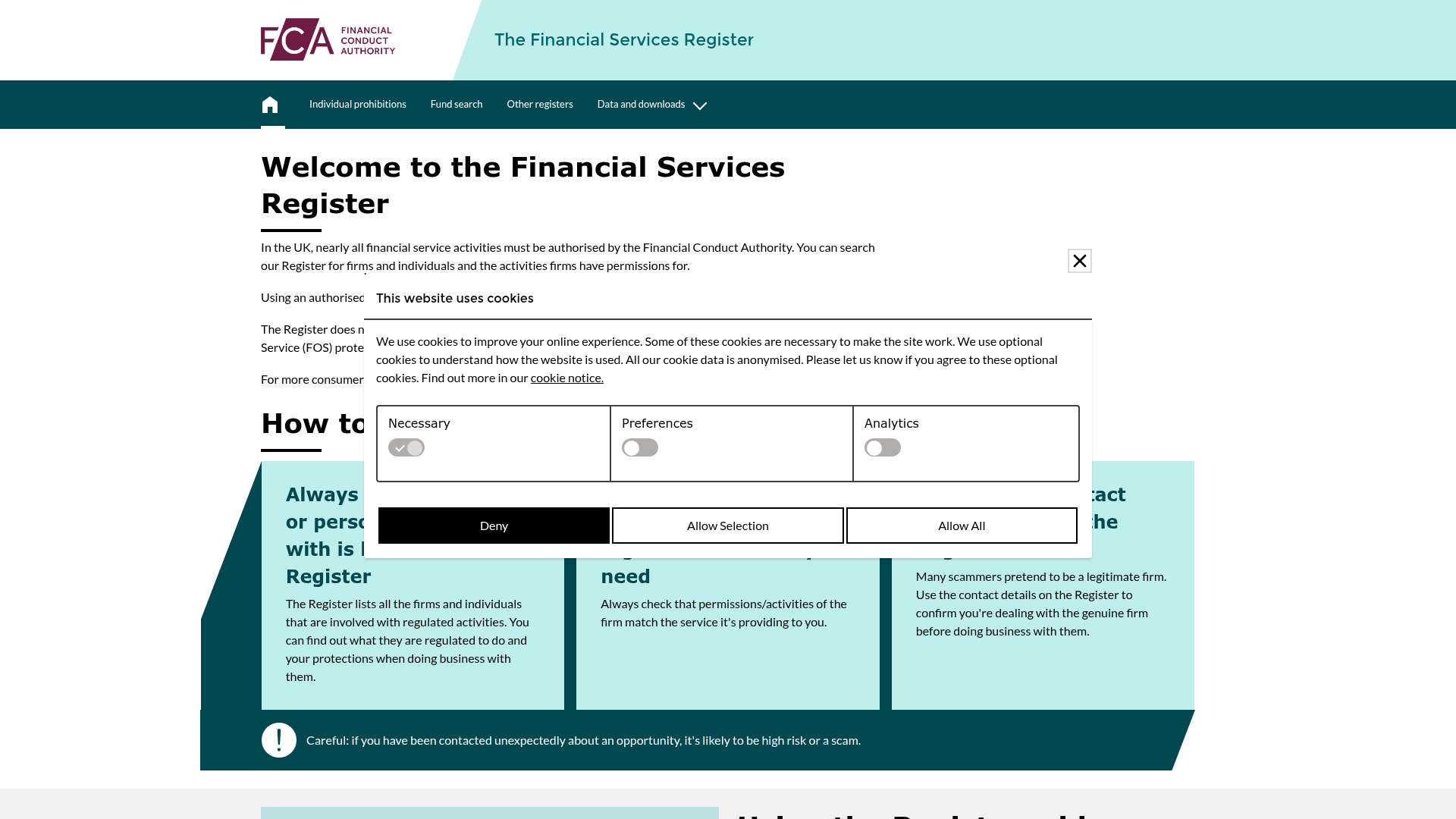
Daftar lain yang digunakan dalam pemeriksaan semacam ini. Setiap tautan membuka halaman otoritas terkait.
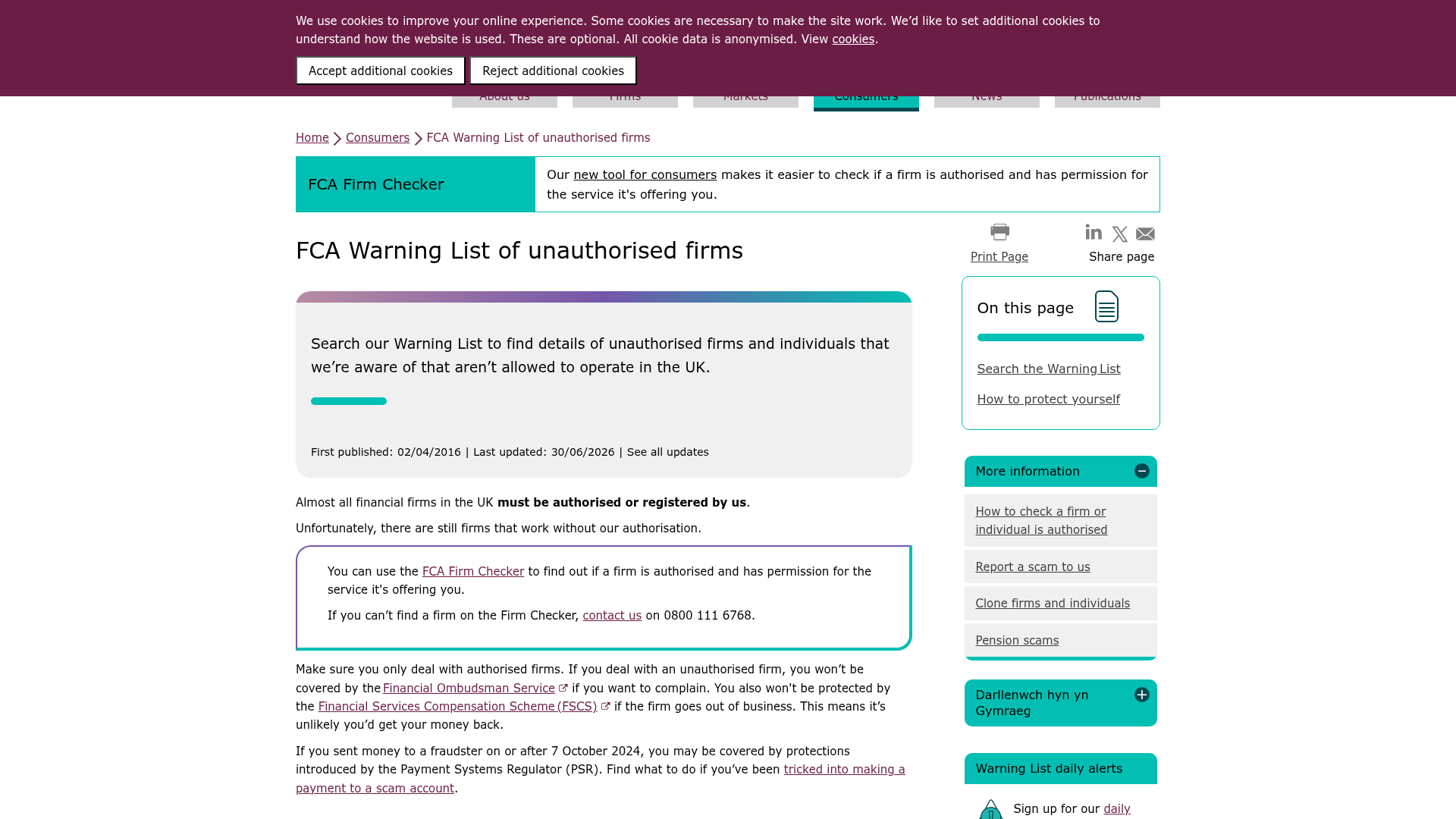
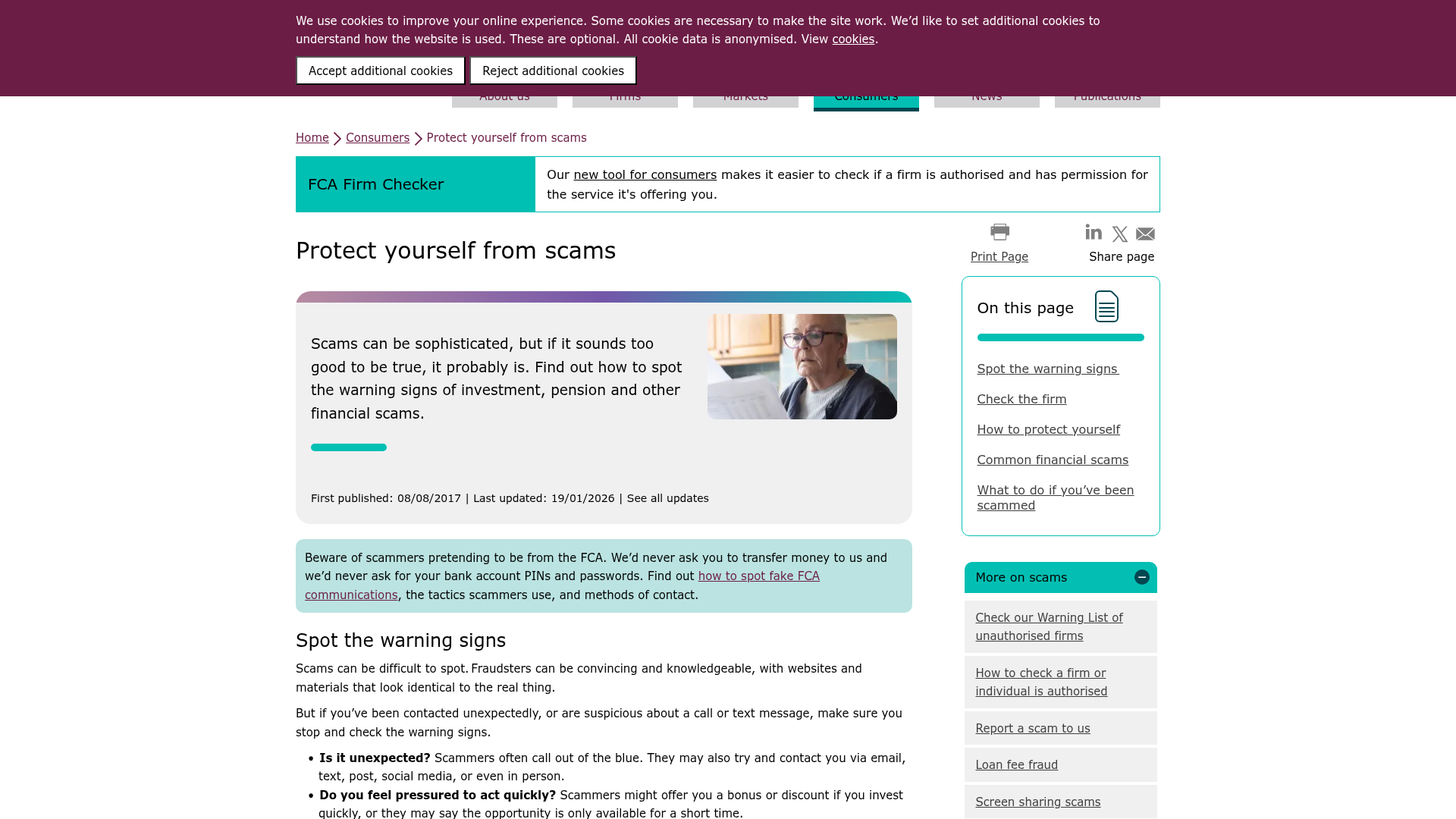
Sumber utama
Setiap klaim di atas dapat diperiksa terhadap halaman resmi otoritas. Ini akan terbuka di situs regulator, bukan situs kami.
- CFTC — Customer advisories on fraudcftc.govhttps://www.cftc.gov/LearnAndProtect/AdvisoriesAndArticles/index.htm
- FCA — Warning list of unauthorised firmsfca.org.ukhttps://www.fca.org.uk/consumers/warning-list-unauthorised-firms
- NFA BASIC — background affiliation statusnfa.futures.orghttps://www.nfa.futures.org/basicnet/
- FSCS — Financial Services Compensation Scheme (FSCS)fscs.org.ukhttps://www.fscs.org.uk/what-we-cover/investments/
- Interpol — financial crimeinterpol.inthttps://www.interpol.int/en/Crimes/Financial-crime
Sering ditanyakan
Bisakah saya hanya menggunakan kamera ponsel untuk memotret layar komputer saya sebagai bukti?
Meskipun mungkin, memotret layar Anda dengan ponsel sering kali menimbulkan silau, resolusi buruk, dan, yang terpenting, tidak memiliki metadata tersemat seperti URL dan jam sistem yang tepat. Ini secara signifikan melemahkan nilai bukti dibandingkan dengan tangkapan layar digital langsung, yang jauh lebih sulit untuk disanggah.
Apakah saya perlu merekam setiap trade yang saya lakukan untuk potensi keluhan?
Tidak praktis untuk merekam setiap trade. Sebaliknya, fokuslah pada peristiwa-peristiwa penting: trade dengan eksekusi tak terduga, perubahan saldo yang signifikan, atau interaksi apa pun di mana Anda mencurigai adanya kesalahan. Pengambilan ringkasan akun secara proaktif setiap hari atau mingguan juga merupakan kebiasaan yang baik.
Bagaimana jika antarmuka platform broker berubah setelah saya mengambil tangkapan layar?
Bukti tangkapan layar adalah tentang mendokumentasikan apa yang ada pada saat kejadian. Jika antarmuka platform berubah kemudian, tangkapan layar Anda yang memiliki stempel waktu akan tetap menjadi bukti sah dari antarmuka sebelumnya. Ini menyoroti pentingnya tanggal dan waktu yang terlihat pada tangkapan Anda.
Bagaimana cara membuktikan bahwa tanggal dan waktu di komputer saya akurat saat tangkapan layar diambil?
Bagi sebagian besar badan regulasi, jam sistem yang terlihat dianggap cukup. Namun, jika ditantang, Anda dapat merujuk tangkapan layar pengaturan sinkronisasi waktu atau menggunakan sumber waktu eksternal yang andal (seperti time.gov) dalam tangkapan layar terpisah dan segera untuk menunjukkan akurasi sistem Anda pada saat itu.
Apakah regulator akan dengan mudah menerima bukti video, atau mereka lebih memilih gambar diam?
Regulator akan menerima bukti video, terutama untuk masalah dinamis seperti lag platform atau gangguan antarmuka pengguna (UI) yang tidak dapat disampaikan secara memadai oleh gambar diam. Namun, video memiliki tantangan ukuran file yang besar dan memastikan pengambilan yang berkelanjutan serta tidak diedit. Gambar diam dengan metadata yang jelas sering kali lebih disukai untuk informasi statis.
Bagaimana jika file tangkapan layar saya terlalu besar untuk diunggah ke portal keluhan?
Banyak portal memiliki batasan ukuran file yang ketat. Jika tangkapan layar atau video Anda terlalu besar, pertama coba kompres menggunakan alat kompresi gambar atau video standar. Jika masih melebihi batas, unggah file ke layanan penyimpanan cloud yang terkemuka dan aman, lalu berikan regulator tautan akses langsung yang terbatas waktu.